The Address Book

Within the Address Book, you can view your resource sharing partners, override address fields, and exclude addresses from label printing. You can also configure your return address for couriers like USPS and statewide shipping programs like Empire Library Delivery.

View My Partners

HARP View My Partners

The HARP View My Partners list

Every night, HARP calls out to the Alma Partners API to retreive a list of each institution's resource sharing partners and affiliated information. That information is stored in the HARP database, and can be viewed in the View My Partners page.

Address Override

HARP Edit My Partners

The HARP Address Override Table

Sometimes staff want to correct address information coming back from the Alma Partners API. The HARP Address Override table allows staff to store specific values for each address field, and HARP will use those stored values to overwrite the printing output for pull slips and shipping labels.

Partner Exclusions

HARP Exclude My Partners

The HARP Exclude Partners Table

Sometimes staff want to remove a partner address from displaying as an option for printing shipping labels. The Exclude Partners table allows staff to select specific partner codes to prevent them from being selected when generating new shipping labels.

Edit Return Address (for ELD shipments)

HARP Edit ELD Return Labels

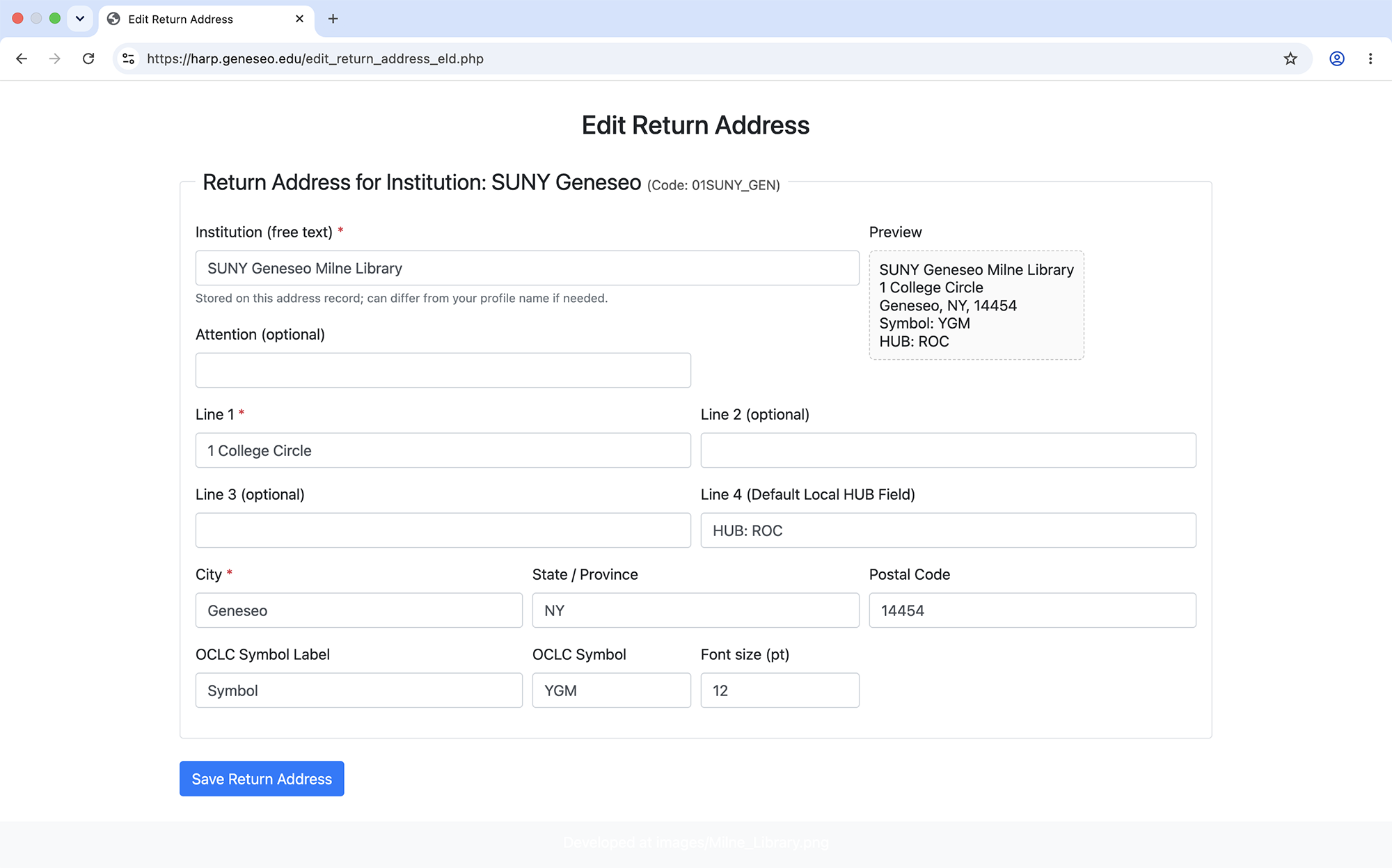
The HARP Return Address (Empire Library Delivery) Configuration Table

Some libraries participate in state-wide library materials shipping programs. This configuration menu allows for libraries participating in the Empire Library Delivery program to specify the output of return labels when sending to libraries who also participate in Empire Library Delivery.

Edit Return Address (for external couriers)

HARP Edit Non-ELD Return Labels

The HARP Return Address (Non-ELD) Configuration Table

This configuration menu allows staff to configure return label printing for use with USPS and other couriers.