Managing HARP

HARP allows you to configure your institution, API keys, users, libraries, and slip layout.

Update Your Institution

HARP Update Institution Details

The HARP Update Institution Table

The Update Institution form allows you to configure your:

  • Institution Name
  • Institution Color
  • Task Lists API Key
  • BIBs API Key
  • Users API Key
  • Partners API Key

Create New User

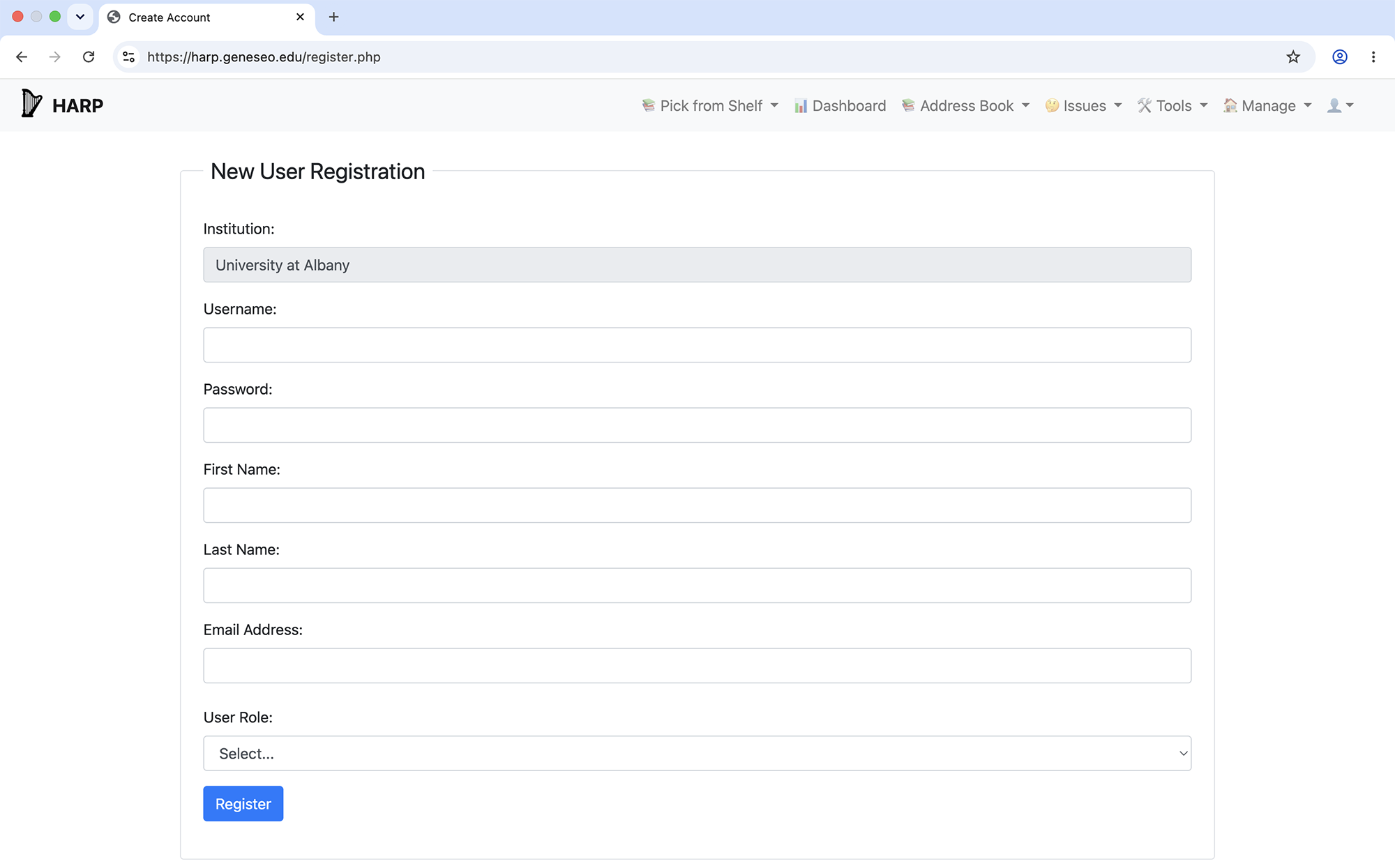
HARP Create New User

The HARP New User Registration form.

HARP is built to allow multiple staff at an institution to have accounts. Staff can either have the role 'Manager' or 'Printer' to allow access to different features within HARP. Only users with the role of 'Manager' are able to create new accounts for their institution.

Manage Users

HARP Manage Users Form

The HARP Manage Users Table

From the Manage Users table, staff with the 'Manager' role can see all of the usernames belonging to their institution, as well as the role and last login date and time of each user. In order to delete a user from an institution, a staff member with the 'Manager' role must click the 'Delete' button.

Manage Libraries

HARP Edit My Partners

The HARP Manage Libraries Table

In order to user HARP, an institution must have at least one library added to the Manage Libraries table. From this table, staff can input a library code and library description, and indicate whether or not that library is a Resource Sharing library in Alma. There should only be one library designated as the Resource Sharing library.

Customize Slip Layout

HARP Customize Slip Layout

The HARP Customize Slip Layout Tool

HARP allows staff to configure the layout of pull slips by determining:

  • Which fields are present on the slip
  • The order of fields
  • The color of each field
  • Bolded field labels and values
  • Top padding height